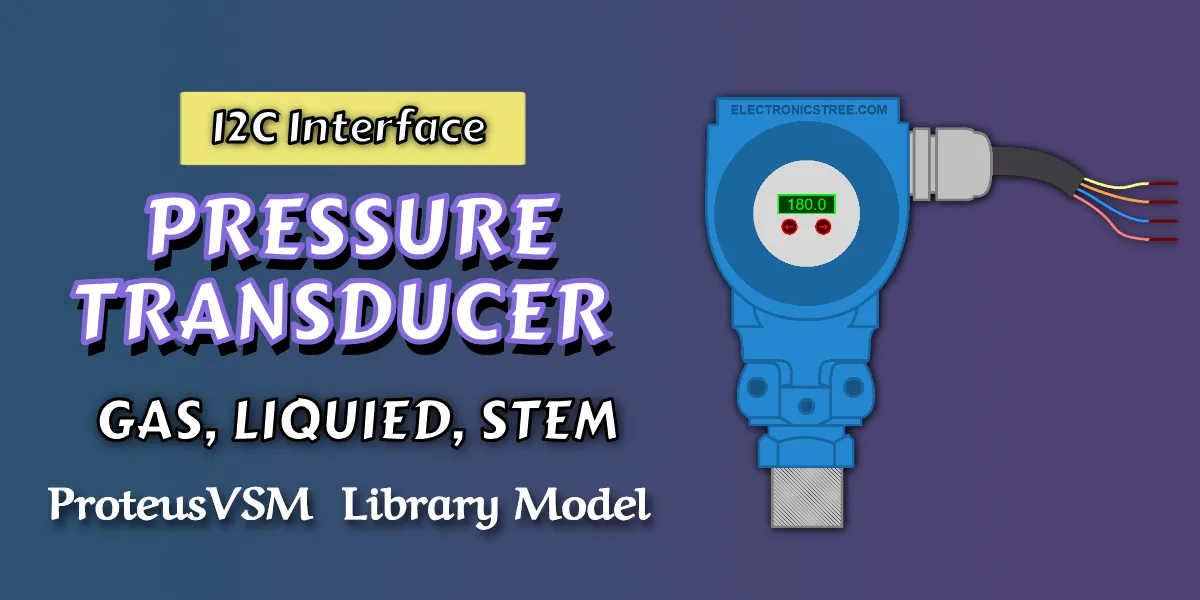
The Pressure Transducer Proteus simulation library provides a professional virtual model of a digital pressure sensor for realistic pressure measurement simulation inside Proteus. It is designed for engineers, students, and embedded developers who want to test sensor interfacing, register-based communication, and firmware logic without requiring physical hardware.
This model allows accurate simulation of pressure readings, unit conversion, and digital communication behavior, making it ideal for developing and validating embedded applications such as industrial monitoring systems, HVAC control, fluid systems, and pressure-based automation.
Pressure Transducer Sensor Model
This model represents a complete digital pressure sensing device that behaves like a real embedded sensor. Instead of relying on analog signals or fixed outputs, it operates using a structured digital interface, allowing it to integrate seamlessly with microcontrollers.
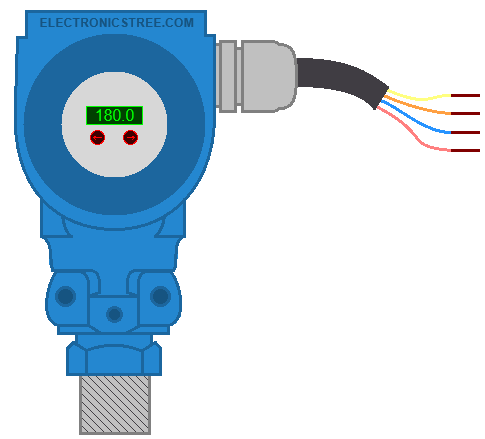
At its core, the sensor reads values from external arrow marker buttons. These values are 16-bit input signals that the sensor converts into a meaningful pressure reading. Internally, the pressure is maintained in Pascal (Pa) and can be accessed in different engineering units through a register-based interface.
This makes the model highly suitable for:
- microcontroller-based system design
- firmware development and debugging
- digital sensor interface testing
- virtual prototyping of pressure monitoring systems
Core Features Include:
- Linear pressure scaling (0 to 1,000,000 Pa)
- Internal Pascal-based measurement system
- Multi-unit output (kPa, bar, psi, atm)
- Register-based communication interface
- Sequential data read with auto-increment
- Configurable unit selection via register
- Configurable 7-bit device address
- Fixed-point pressure output with decimal precision
- Dynamic pressure updates during simulation runtime
Multi-Unit Pressure Output
The Pressure Transducer includes built-in support for multiple pressure units, allowing firmware to switch between units dynamically during simulation. The selected unit directly affects the output measurement, enabling realistic firmware behavior testing.
Supported Units:
- Kilopascal (kPa)
- Bar
- Pounds per square inch (psi)
- Atmosphere (atm)
The active unit can be changed during runtime, allowing developers to verify how their firmware handles unit switching and display formatting. This feature is especially useful for multi-region product development, unit conversion validation, user interface testing, as well as industrial and consumer application scenarios.
Register-Based Communication Interface
Rather than exposing raw signals directly, pressure transducer model organizes all interactions through a register-based system. This approach closely mirrors real digital sensors and provides a clean, intuitive way to retrieve measurement data, configure operating parameters, and access device information.
Sequential reading is supported, so multiple bytes of data can be retrieved in order without resetting the communication flow. This allows efficient data handling and simplifies firmware design
| Register Address | Access | Function | Description |
|---|---|---|---|
| 0x00 | Read | Pressure High Byte | Upper byte of scaled pressure value |
| 0x01 | Read | Pressure Low Byte | Lower byte of scaled pressure value |
| 0x02 | Read/Write | Unit Selection | Current pressure unit selector |
| 0x03 | Read | Version Register | Device/model version identifier |

Interfacing Pressure Transducer with Arduino
Wiring (I²C interface)
| Sensor Pin | Arduino Uno / Nano / Mega |
|---|---|
| VCC (Red) | 12V or 24V |
| GND (Blue) | GND |
| SCL (Orange) | A5 (Uno/Nano) / SCL pin (Mega: 21) |
| SDA (Yellow) | A4 (Uno/Nano) / SDA pin (Mega: 20) |
Arduino Code
This Arduino sketch demonstrates how to interface with a digital Pressure Transducer using the I2C protocol. The code communicates with the sensor at address 0x50. It allows you to retrieve measurement data, configure operating parameters, and access device information.
#include <Wire.h>

#define PRESSURE_SENSOR_ADDR 0x50   // Default device address

// Unit codes
#define UNIT_KPA 0x00
#define UNIT_BAR 0x01
#define UNIT_PSI 0x02
#define UNIT_ATM 0x03


// Write a register value
void writeRegister(uint8_t reg, uint8_t value) {
  Wire.beginTransmission(PRESSURE_SENSOR_ADDR);
  Wire.write(reg);
  Wire.write(value);
  Wire.endTransmission();
}


// Read one byte from register
uint8_t readRegister(uint8_t reg) {
  Wire.beginTransmission(PRESSURE_SENSOR_ADDR);
  Wire.write(reg);
  Wire.endTransmission(false);  // repeated start

  Wire.requestFrom(PRESSURE_SENSOR_ADDR, (uint8_t)1);
  if (Wire.available()) {
    return Wire.read();
  }
  return 0xFF;
}


// Read 16-bit pressure value
// Returns scaled fixed-point value (divide by 100.0)
uint16_t readPressureRaw16() {
  Wire.beginTransmission(PRESSURE_SENSOR_ADDR);
  Wire.write(0x00);             // pressure high byte register
  Wire.endTransmission(false);  // repeated start

  Wire.requestFrom(PRESSURE_SENSOR_ADDR, (uint8_t)2);

  uint8_t highByte = 0;
  uint8_t lowByte  = 0;

  if (Wire.available()) highByte = Wire.read();
  if (Wire.available()) lowByte  = Wire.read();

  return ((uint16_t)highByte << 8) | lowByte;
}


// Convert fixed-point to float
float readPressureValue() {
  uint16_t raw = readPressureRaw16();
  return raw / 100.0;
}


// Set output unit
void setUnit(uint8_t unitCode) {
  writeRegister(0x02, unitCode);
}


// Read current unit register
uint8_t getUnit() {
  return readRegister(0x02);
}


// Print unit text
const char* unitToString(uint8_t unitCode) {
  switch (unitCode) {
    case UNIT_KPA: return "kPa";
    case UNIT_BAR: return "bar";
    case UNIT_PSI: return "psi";
    case UNIT_ATM: return "atm";
    default:       return "unknown";
  }
}

void setup() {
  Serial.begin(9600);
  Wire.begin();

  // Default unit
  uint8_t currentUnit = getUnit();
  Serial.print("Default Unit: ");
  Serial.println(unitToString(currentUnit));

  Serial.println();
  Serial.println("Cycling through all units...");
  Serial.println();

  // Test all supported units once
  uint8_t testUnits[] = { UNIT_KPA, UNIT_BAR, UNIT_PSI, UNIT_ATM };

  for (uint8_t i = 0; i < 4; i++) {
    setUnit(testUnits[i]);
    delay(100);

    float pressure = readPressureValue();
    uint8_t confirmUnit = getUnit();

    Serial.print("Unit set to: ");
    Serial.print(unitToString(confirmUnit));
    Serial.print(" | Pressure = ");
    Serial.print(pressure, 2);
    Serial.print(" ");
    Serial.println(unitToString(confirmUnit));

    delay(1000);
  }

  // Return to kPa for live monitoring
  setUnit(UNIT_KPA);
  delay(100);

  Serial.println();
  Serial.println("Live pressure monitoring in kPa...");
  Serial.println("----------------------------------------");
}

void loop() {
  float pressure = readPressureValue();
  uint8_t currentUnit = getUnit();

  Serial.print("Pressure: ");
  Serial.print(pressure, 2);
  Serial.print(" ");
  Serial.println(unitToString(currentUnit));

  delay(1000);
}
Key functions include reading the 16-bit raw pressure value, converting it into a readable floating-point pressure (in kPa, bar, psi, or atm) and setting the desired output unit. In the setup, the sketch displays the default unit, cycles through all four supported units while showing the corresponding pressure readings, and then switches back to kPa for continuous monitoring. The loop then prints live pressure values every second, making it ideal for testing and real-time applications.
Demonstration of Pressure Transducer in Proteus
Download Pressure Transducer Library
Simply click on the button to download the pressure transducer library. You can refer to this post for instructions on how to install the library in Proteus 8. How to Download and install Library in Proteus (electronicstree.com)
ZIP Password : electronicstree.com
We’re always looking to expand our library collection based on what our community needs. If you’re looking for a specific Arduino module, sensor, or component that we don’t currently offer, we’d love to hear from you!
Reach out to us at help@electronicstree.com with your requests. We prioritize new library development based on community demand, so your suggestion could be our next addition.
Join the official WhatsApp channel of ElectronicsTree to stay updated with the latest electronics tutorials, Proteus libraries, Arduino projects, and simulation resources.