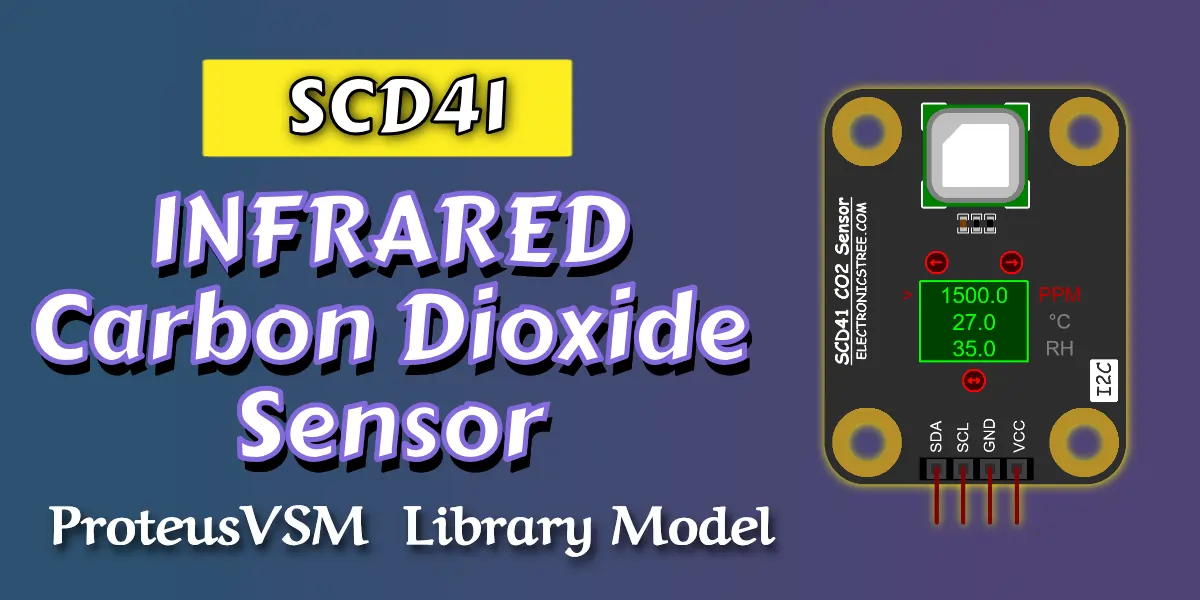
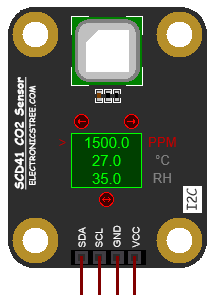
The SCD41 CO2 sensor Proteus simulation library offers a professional virtual model of the Sensirion SCD41 sensor for realistic CO₂, temperature, and humidity simulation in Proteus. It is ideal for who need to test I²C communication, verify firmware behavior, and prototype air quality monitoring systems without physical hardware.
SCD41 CO2 Sensor Model
The SCD41 CO2 sensor library is a virtual representation of the Sensirion SCD41 photoacoustic CO₂ sensor, developed for use in Proteus simulation environments. It is designed to emulate the functional behavior of the real sensor so that embedded systems, microcontroller firmware, and I²C-based applications can be tested and validated without requiring physical hardware.
This model supports the measurement of carbon dioxide concentration (CO₂), temperature, and relative humidity, allowing realistic interaction with microcontroller platforms such as Arduino, ESP-based boards, and other I²C-capable systems. The model responds to standard sensor commands in a manner consistent with the actual device, enabling software libraries and sensor-reading routines to operate as expected during simulation
Realistic Environmental Simulation in Proteus
One of the biggest strengths of the SCD41 CO2 sensor Proteus simulation library is its ability to simulate changing environmental conditions. Instead of returning fixed values, the model can reflect dynamic input values for:
- CO₂ concentration (ppm)
- Temperature (°C)
- Relative humidity (%RH)
This means you can create more meaningful test scenarios in Proteus. For example, you can simulate:
- rising CO₂ levels in a closed room
- changing room temperature over time
- varying humidity in indoor or industrial environments
- alarm threshold testing for air quality systems
- control logic for ventilation or HVAC automation
This makes the model especially useful for validating real-world behavior in embedded applications.
Key Features of the SCD41 Proteus Simulation Library
SCD41 CO2 sensor model is designed to provide realistic functional behavior for embedded testing and simulation. It supports the main operational characteristics of the SCD41 and allows environmental values to be changed dynamically during runtime.
Core Features Include:
- Simulation of CO₂ concentration, temperature, and relative humidity
- I²C-compatible communication behavior
- Support for periodic measurement mode
- Support for single-shot measurement mode
- Support for single-shot temperature and humidity measurement mode
- Measurement data readout
- Data-ready status polling
- Sensor serial number access
- Self-test response
- Factory reset and reinitialization behavior
- Power-down and wake-up functionality
- Temperature offset, altitude, and ambient pressure configuration support
These features allow the model to be used with common embedded platforms and typical SCD41 firmware workflows.
How to Use it with Arduino
Install the Library
SCD41 CO2 sensor uses I2C, and DFRobot has a nice library to make things easy.
- Open Arduino IDE.
- Go to Sketch > Include Library > Manage Libraries.
- In the search box, type DFRobot_SCD4X.
Alternatively, download from: GitHub – DFRobot/DFRobot_SCD4X · GitHub

Wiring (I²C interface)
| Sensor Pin | Arduino Uno / Nano / Mega |
|---|---|
| VCC | 5 V |
| GND | GND |
| SCL | A5 (Uno) / SCL pin |
| SDA | A4 (Uno) / SDA pin |
Arduino Code
#include <DFRobot_SCD4X.h>

DFRobot_SCD4X SCD4X(&Wire, SCD4X_I2C_ADDR);

void setup(void)
{
  Serial.begin(38400);

  while(!SCD4X.begin()){
    Serial.println("Communication with device failed, please check connection");
    delay(3000);
  }
  Serial.println("Begin ok!");

  SCD4X.enablePeriodMeasure(SCD4X_STOP_PERIODIC_MEASURE);

  SCD4X.setTempComp(0.1);

  float temp = 0;
  temp = SCD4X.getTempComp();
  Serial.print("The current temperature compensation value : ");
  Serial.print(temp);
  Serial.println(" C");

  SCD4X.setSensorAltitude(540);

  uint16_t altitude = 0;
  altitude = SCD4X.getSensorAltitude();
  Serial.print("Set the current environment altitude : ");
  Serial.print(altitude);
  Serial.println(" m");

  SCD4X.enablePeriodMeasure(SCD4X_START_PERIODIC_MEASURE);

  Serial.println();
}

void loop()
{
  if(SCD4X.getDataReadyStatus()) {

    DFRobot_SCD4X::sSensorMeasurement_t data;
    SCD4X.readMeasurement(&data);

    Serial.print("Carbon dioxide concentration : ");
    Serial.print(data.CO2ppm);
    Serial.println(" ppm");

    Serial.print("Environment temperature : ");
    Serial.print(data.temp);
    Serial.println(" C");

    Serial.print("Relative humidity : ");
    Serial.print(data.humidity);
    Serial.println(" RH");

    Serial.println();
  }
  delay(1000);
}
Proteus VSM Simulation
Download Library
Simply click on the button to download the library. You can refer to this post for instructions on how to install the library in Proteus 8. How to Download and install Library in Proteus (electronicstree.com)
ZIP Password : electronicstree.com
We’re always looking to expand our library collection based on what our community needs. If you’re looking for a specific Arduino module, sensor, or component that we don’t currently offer, we’d love to hear from you!
Reach out to us at help@electronicstree.com with your requests. We prioritize new library development based on community demand, so your suggestion could be our next addition.
Join the official WhatsApp channel of ElectronicsTree to stay updated with the latest electronics tutorials, Proteus libraries, Arduino projects, and simulation resources.